
Get Started
By the end of this article you will have a workspace set up for Allium script development.
Installation
The Easy Way
For the least amount of friction while developing it is recommended to do so in an environment that is also conducive to Java modding. Grabbing class names and understanding what the game is doing are made much easier in an IDE that's set up for a java mod. The easiest way to do that is to clone Allium's own repository and work on your project within it. This guide demonstrates how to do it via IntelliJ, but VSCode and Eclipse are also viable IDE's.
- Install IntelliJ IDEA
- Launch and Click "Clone Repository"
Screenshot
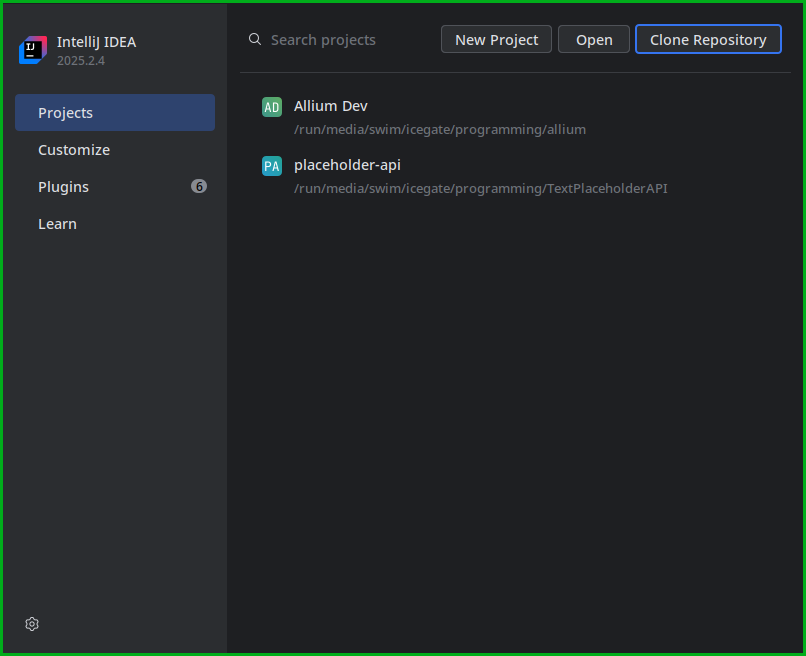
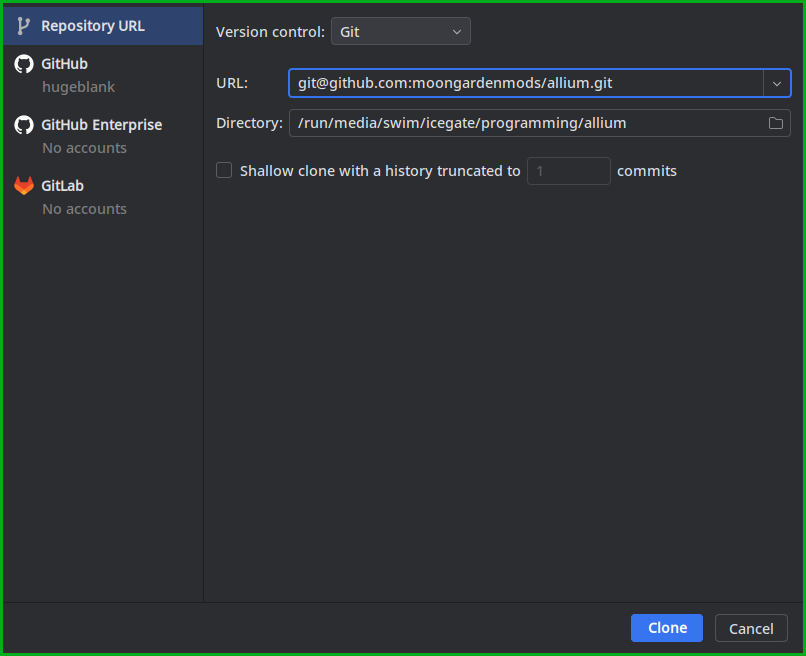
- Clone the repository using the URL in the "Code" button dropdown, or copy
git@github.com:moongardenmods/allium.git. Click Clone, and wait for the project to finish importing.
Screenshot
- In the top right there should be several run configurations in the dropdown. Pick either "Bouquet Client" or "Allium Client", and press the "Run" button.
Screenshot
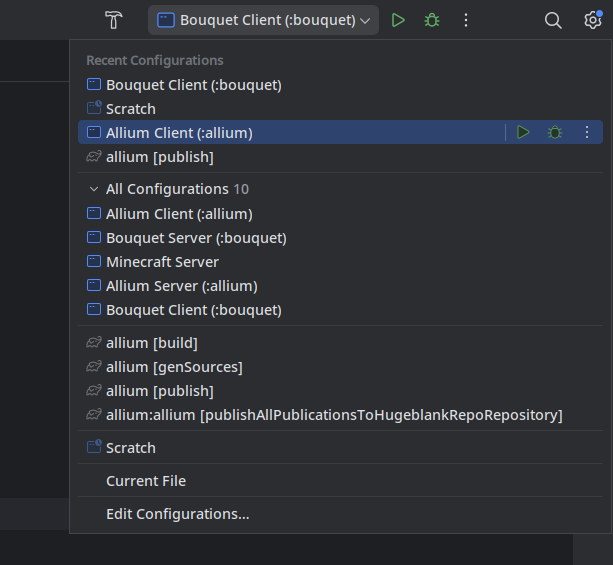
TIP
The "Allium Client" run configuration launches the game without Bouquet. If you intend on using Bouquet as a dependency, consider using the "Bouquet Client" configuration.
TIP
"Server" run configurations are also provided to enable testing that a script works on a dedicated server.
- The prior step creates a folder
runat the root of the project. Within that folder should be the folders one would expect to see in an instance of the game (ex.saves,resourcepacks,mods). Additionally,alliumshould be there, which is where scripts go.
INFO
If you would like to add the example scripts to be run when launching the game, drag and drop the contents of bouquet/examples into the run/allium folder. To prevent confusion, especially if planning on modifying the example scripts, consider symlinking the bouquet/examples directory to run/allium.
The Hard Way
If the only goal is to create a simple script with little to no references to game logic, it might be preferable to skip setting up the IDE and do development in a production instance of the game. Do this using your preferred launcher (Prism, MultiMC, Vanilla, etc.). Download Allium, create the allium directory in the instance root, and optionally install Bouquet.
Screenshot
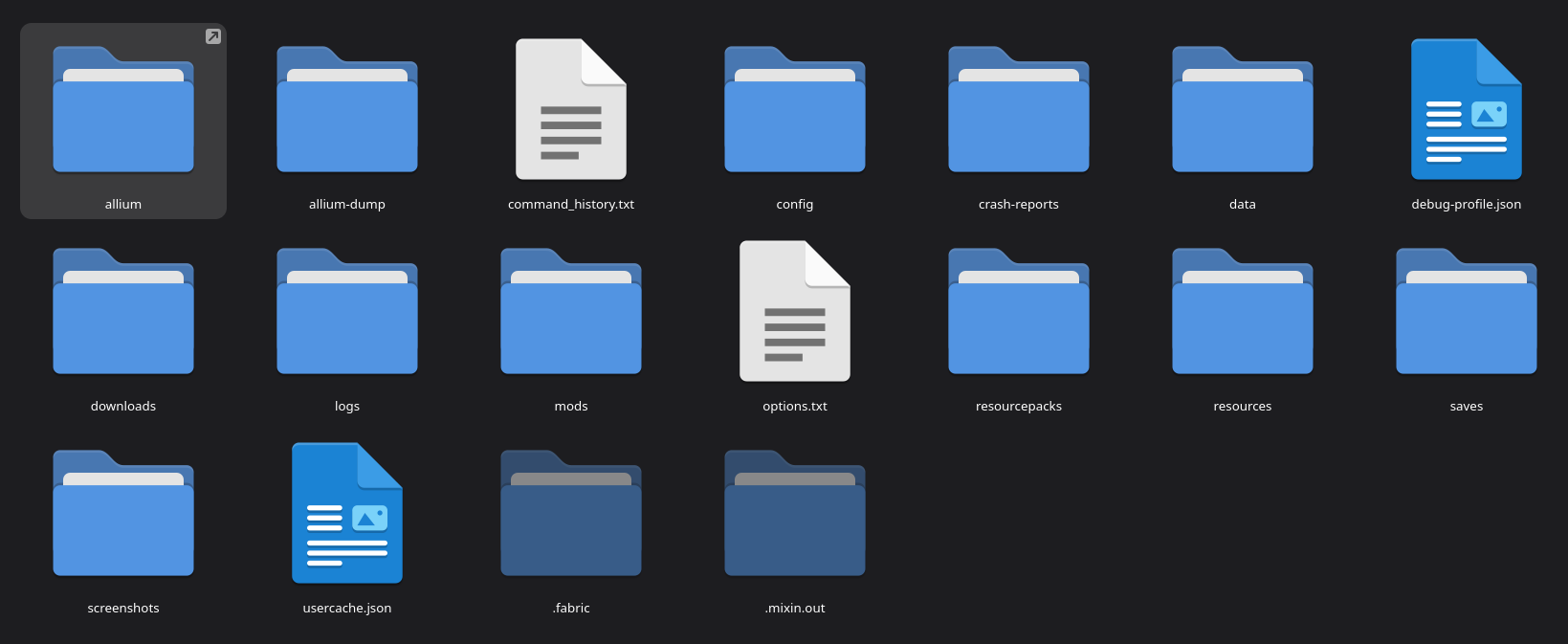 An example of the usual game instance with Allium